
Download SanityCheck – malware scanner, rootkit detection, system security, computer protection, anti-malware tool
Overview
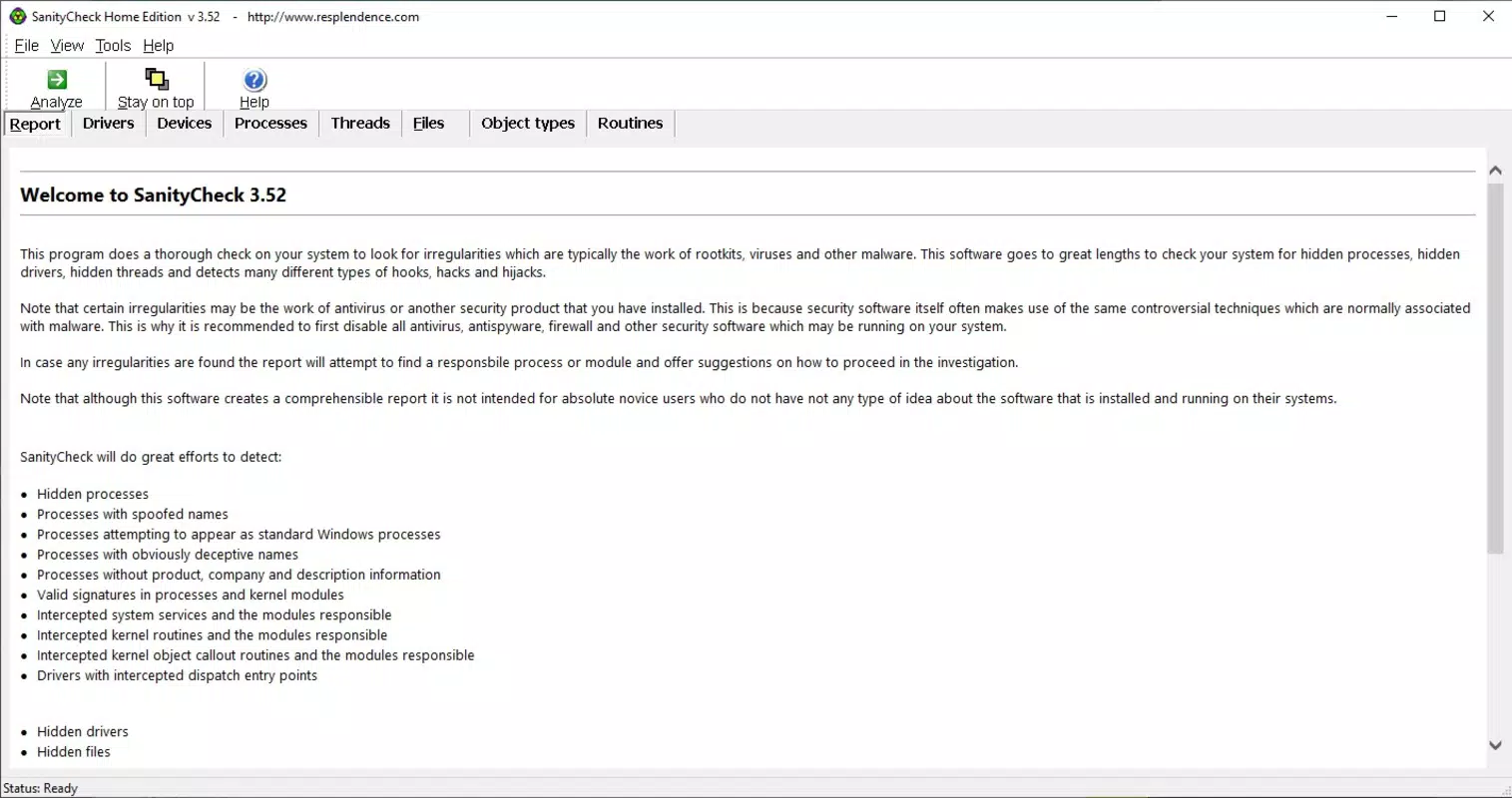
SanityCheck is a specialized security tool designed to detect and identify malware and rootkits through comprehensive system scans. Unlike conventional antivirus software, it focuses on uncovering hidden threats that may evade standard detection methods, such as malicious processes disguised as legitimate system components. The application is particularly useful for users who require deeper system integrity verification, especially in environments where security is critical. While it may not be explicitly tailored for beginners, its user-friendly interface ensures that even less experienced users can navigate the scanning process with minimal difficulty.
The tool addresses a key gap in digital protection by targeting stealthy threats that often go undetected. It is suitable for individuals and organizations seeking a secondary layer of defense for their Windows systems. Real-world use cases include routine system health checks, post-infection analysis, and pre-deployment verification on devices used in sensitive operations. Its ability to highlight suspicious items without immediate action provides a balanced approach to threat management, encouraging informed decision-making over reactive responses.
Developed by SecuritySoft, SanityCheck positions itself as a reliable utility within the broader security ecosystem. Although the developer did not provide additional technical details, the app’s free availability and focus on system integrity suggest a commitment to accessible cybersecurity solutions. In a digital landscape where threats are increasingly sophisticated, SanityCheck offers a focused, efficient, and transparent method for assessing computer security.
Key Features & Functionality
- In-depth System Scanning: SanityCheck performs a thorough examination of the system, probing for hidden malware and rootkits that may be embedded in system processes or components. This level of scrutiny goes beyond standard antivirus checks, increasing the likelihood of detecting advanced threats.
- User-Friendly Interface: Despite its advanced capabilities, the application maintains a clean and intuitive design. Users can initiate a scan with a single click after installation, minimizing the learning curve and enabling quick access to security insights.
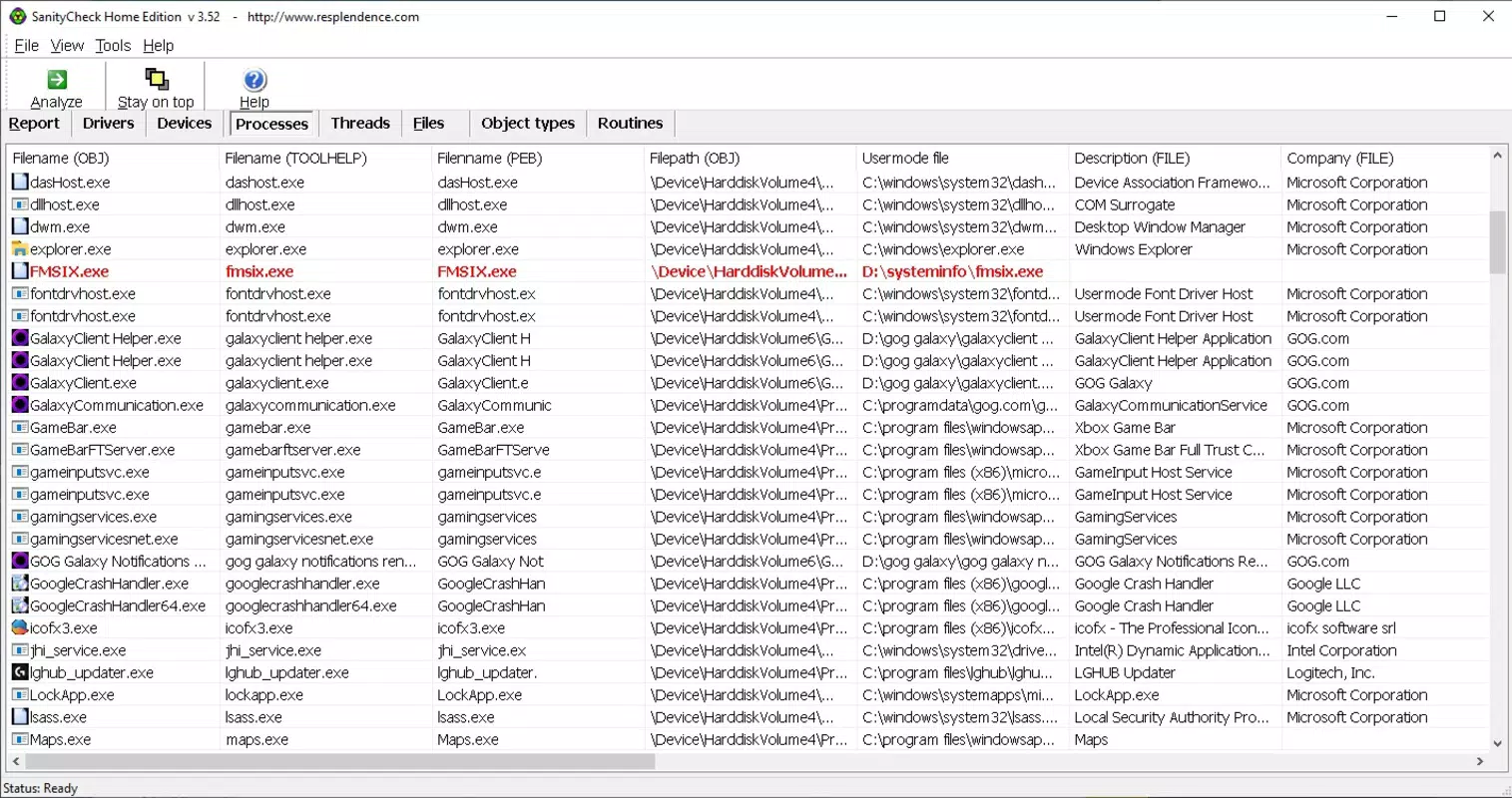
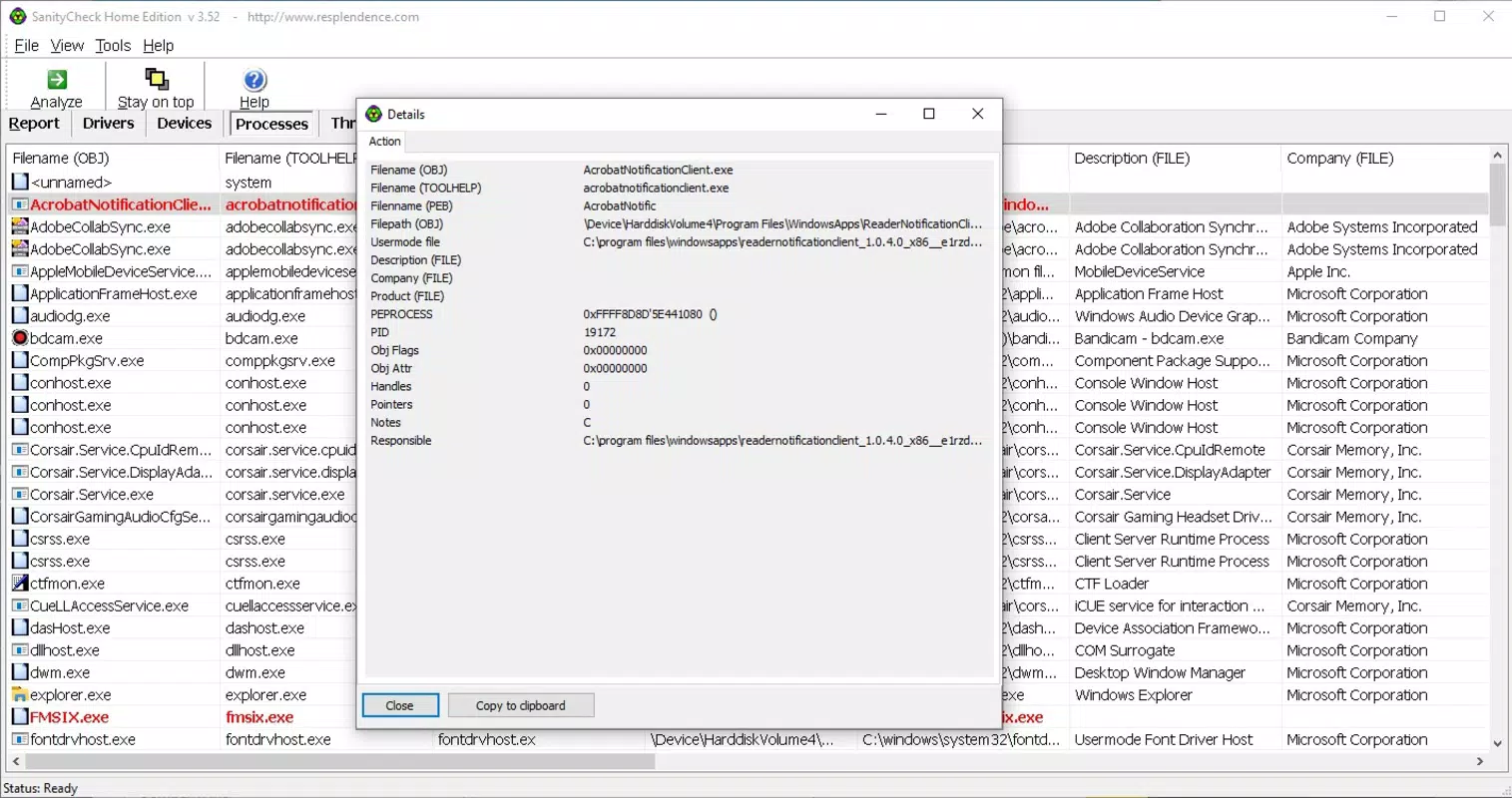
- Suspicious Item Highlighting: Detected anomalies are categorized and clearly marked in red to draw attention. This visual cue helps users quickly identify components that require further review, though the app clarifies that red does not equate to confirmed danger.
- Actionable Threat Suggestions: After scanning, SanityCheck provides guidance on how to respond to detected threats. This includes recommendations based on the nature and behavior of the suspicious items, promoting cautious and informed handling.
- Resource-Light Operation: The application is designed to run efficiently without overburdening system resources. Users can continue using their computer during scans, making it practical for regular use without performance degradation.
For example, a user who suspects their system has been compromised can run a scan to identify hidden processes. The app’s highlighting system draws attention to irregular entries, while the suggested actions help prevent accidental removal of legitimate system components. This functionality is especially valuable for IT professionals and security-conscious individuals managing multiple devices.
Interface, UX & Performance
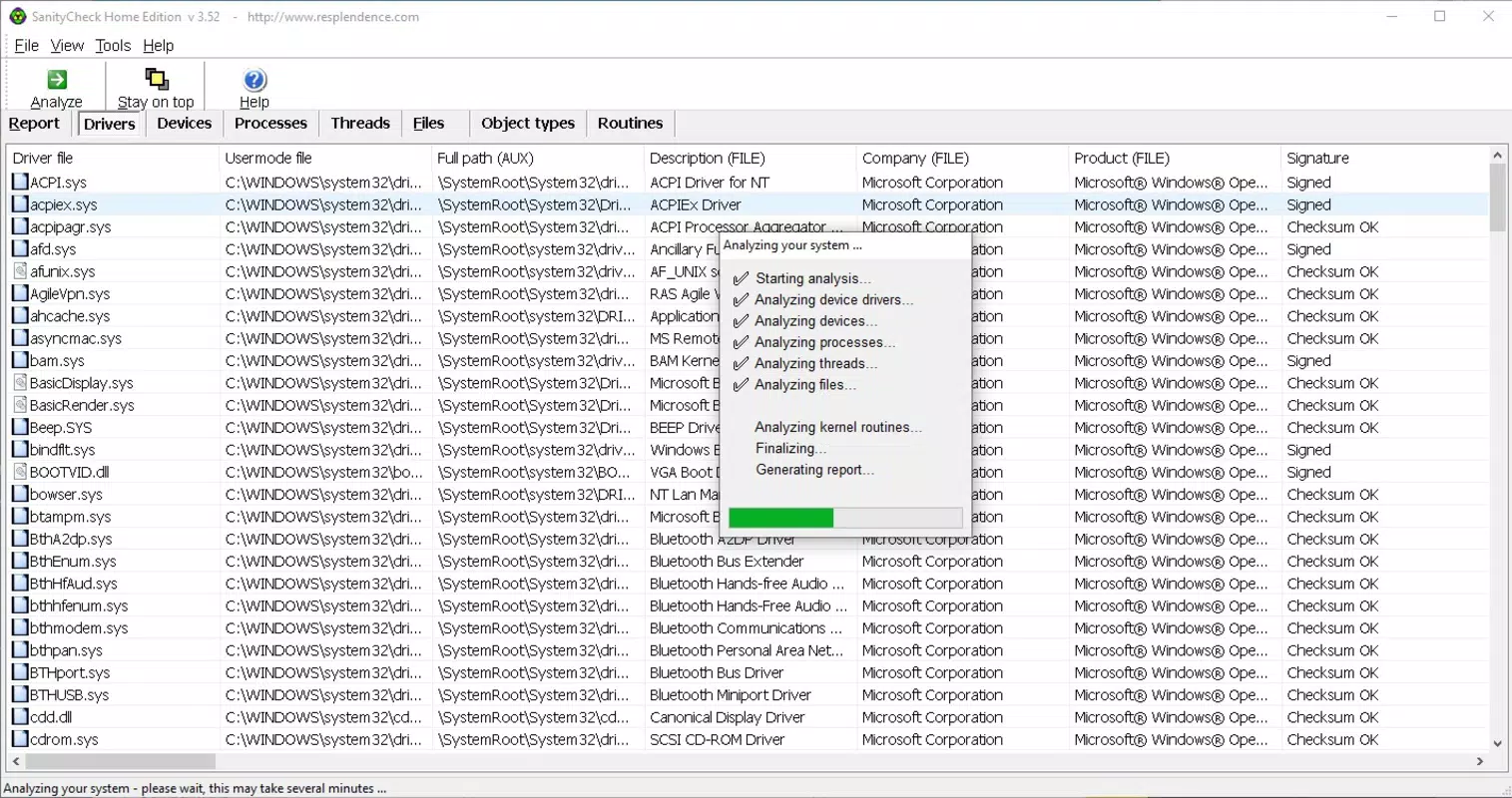
SanityCheck features a minimalist interface with a central scan button, reducing visual clutter and streamlining user interaction. The layout is designed for clarity, with scan results displayed in a structured format that categorizes findings by severity and type. Navigation is straightforward, requiring minimal input beyond initiating the scan.
Although the developer did not list formal performance metrics, the application’s lightweight design suggests it operates efficiently across a range of Windows devices. Users can expect consistent responsiveness, even on systems with limited processing power or memory. The scanning process, while thorough, is optimized to avoid significant delays, making it suitable for regular use.
Stability appears to be a priority, as the app maintains functionality without reported crashes or freezes. The absence of performance-related feedback in the provided data indicates a reliable user experience. Overall, the UX is focused on accessibility and clarity, aligning with the tool’s goal of delivering powerful security insights in a digestible format.
Platform Compatibility & Technical Requirements
SanityCheck is available exclusively for the Windows platform. The current version is 2.1.0, with a file size of 15.2 MB, indicating a compact and efficient installation. The application is free to use, removing financial barriers to access.
The developer did not specify minimum OS requirements or compatibility details beyond the platform. As such, users should verify system compatibility with their specific Windows version before installation. No additional technical specifications were provided, and no information was shared regarding support for older or newer Windows releases.
Pros and Cons
Pros
- Comprehensive scanning for hidden malware and rootkits
- Intuitive interface suitable for non-experts
- Lightweight design with minimal system impact
- Clear visual cues for suspicious system items
- Provides informed guidance on handling threats
Cons
- Specific system requirements were not listed
- Compatibility with older or newer Windows versions is unclear
- May require user judgment for threat resolution
- No detailed documentation or in-app help provided
- Free model may lack advanced support features
FAQ
Is SanityCheck safe to download and use?
Yes, SanityCheck is designed as a legitimate security tool. It is distributed free of charge and does not contain known malicious components. Users should ensure they download it from official or trusted sources.
Can I use SanityCheck on older versions of Windows?
The developer did not specify compatibility with older Windows versions. While it may function on older systems, users are advised to verify system requirements before installation.
Does SanityCheck require a subscription or payment?
No, SanityCheck is currently available for free. There is no indication of future monetization through subscriptions or in-app purchases.
How often should I run a scan with SanityCheck?
Users may choose to run scans periodically as part of a routine system health check. The lightweight nature of the app makes it suitable for regular use without performance impact.
Can SanityCheck remove malware automatically?
SanityCheck does not automatically remove detected threats. Instead, it highlights suspicious items and provides guidance on how to proceed, allowing users to make informed decisions.
Final Thoughts
SanityCheck stands out as a focused and reliable tool for users seeking deeper insight into their system’s security posture. Its ability to detect stealthy threats that evade standard antivirus software makes it a valuable addition to any digital defense strategy. The combination of a clean interface, efficient performance, and actionable guidance ensures that both technical and non-technical users can benefit from its capabilities.
While it lacks some advanced features found in commercial security suites, its free availability and specialized focus on rootkit and malware detection offer strong value. For individuals and organizations that prioritize system integrity and proactive threat identification, SanityCheck delivers a practical, lightweight, and transparent solution.
Download SanityCheck now


